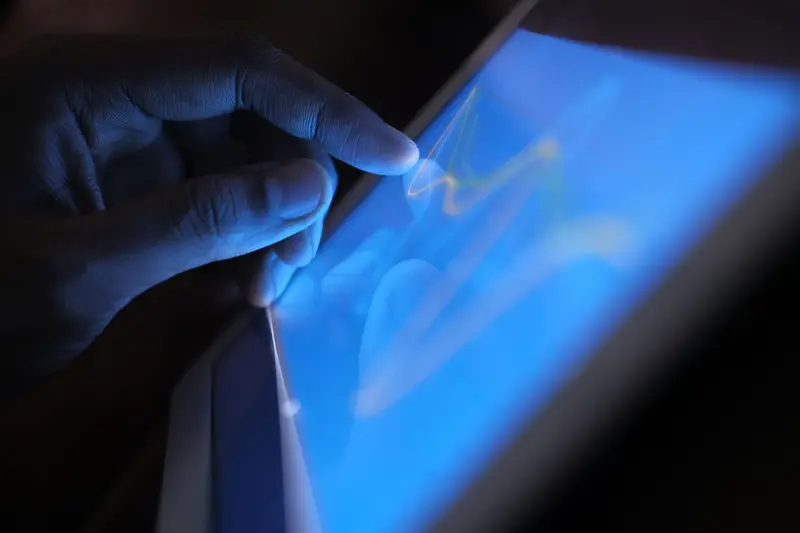
A phone screen does not have buttons in the traditional sense, yet it can tell exactly where a fingertip is, distinguish a tap from a swipe, and follow several fingers at once. There is no moving part to press and no camera watching from the corner. What happens instead is quieter and stranger: a sensor layer measures tiny changes in an electric field, and software converts those changes into coordinates many times each second.
Most modern phones, tablets, and laptops use a design called projected capacitive sensing. Understanding it requires only a little electricity and a grid.
The Principle: Capacitance
A capacitor is any pair of conductors separated by an insulator. When a voltage is applied, the two conductors store opposite electric charge, and the amount they can store for a given voltage is called capacitance. Capacitance depends on the size of the conductors, the distance between them, and the material in between.
The human body is a conductor of electricity, mostly because it is full of water containing dissolved salts. When a fingertip comes close to a charged electrode behind glass, it changes the arrangement of the electric field around that electrode. In effect the finger acts as a second, grounded conductor, and the capacitance measured at that spot changes. A touchscreen controller looks for that change.
Notice that the finger does not need to press hard, or even fully touch the surface. It only needs to be close enough, and conductive enough, to disturb the field. That is why capacitive screens respond to a feather-light touch.
The Grid Behind the Glass
A projected capacitive screen contains a transparent grid of electrodes. Two sets of thin conductive lines, usually made from a transparent conductor such as indium tin oxide, run at right angles to each other, one set forming rows and the other columns. The two layers are separated by a thin insulator, and each place where a row crosses a column forms a tiny capacitor.
The controller applies signals to the rows and listens on the columns. When nothing is nearby, every crossing has a known baseline capacitance. When a finger approaches a crossing, some of the field between the row and column is diverted through the finger, and the measured capacitance at that crossing drops slightly. The controller scans the entire grid, compares each crossing to its baseline, and finds the crossings that changed.
Because every crossing can be measured individually, the system can find more than one touch in a single scan. This is what makes multi-touch gestures possible, such as pinching two fingers together to zoom. The controller then estimates the finger's exact position by comparing the change at neighboring crossings. A fingertip covers several crossings at once, so the software can interpolate between them and locate the center much more precisely than the grid spacing alone would suggest.
Everything happens quickly. The scan repeats many times per second, and the software follows each touch from one scan to the next to determine motion, speed, and whether a gesture has started.
A Short History
The idea has an unexpectedly long history, and one well-documented chapter took place inside a particle physics laboratory. Engineers at CERN needed a compact way to control the Super Proton Synchrotron, an accelerator with a circumference of nearly seven kilometers. Existing touch screens, including one based on acoustic waves invented at what is now SLAC National Accelerator Laboratory, were too bulky for the job. In a handwritten note dated March 11, 1972, Bent Stumpe proposed a capacitive touch screen with programmable buttons. The design used copper lines etched on glass, so fine and closely spaced that they were nearly invisible. CERN's account describes each button as a capacitor that measurably increases when a finger approaches, monitored by oscillator circuits.
The accelerator's control room opened in 1976 with three 16-button touch screens, and Symmetry Magazine reports that some of them continued to operate for 30 years. By 1977, CERN's touch screens were being sold to other research institutes and companies.
The CERN design used a fixed set of programmable buttons rather than a free-roaming grid. Turning the idea into the multi-touch screens on today's phones and tablets took decades of further engineering, and Symmetry Magazine notes that capacitive touch screens have since been reinvented in many applications and are now ubiquitous.
Resistive and Other Designs
Not every touchscreen works this way. A resistive screen consists of two flexible, conductive layers separated by a narrow gap. Pressing the top layer makes it contact the bottom one at a single point. The controller applies a voltage across one layer, and the voltage measured at the contact point reveals its position along that axis, after which the roles are switched to find the other axis.
Resistive screens work with any object, including a gloved finger or a plastic stylus, because they respond to pressure rather than to electrical properties. The trade-offs are that they require firmer touches, they are usually less clear because of the extra layers, and they are generally better suited to single touches than to multi-finger gestures.
Other systems use infrared beams across the surface, where an interrupted beam reveals a touch, or acoustic waves in the glass that a finger disturbs. These appear in large displays and kiosks where a big sensor grid would be costly or impractical.
Everyday Effects You Have Noticed
Several familiar behaviors follow from the physics. Ordinary gloves fail because fabric insulates, preventing the finger's influence from reaching the electrodes. Gloves with conductive threads solve this by restoring the effect. A wet screen can behave erratically because water droplets are also conductive and can create false touches or bridge sensor nodes. A plastic fingernail does not register for the same reason a glove fails.
Palm rejection, in which a resting hand does not interfere with writing, is a software trick that decides which touches are intentional based on shape, size, and timing. Similarly, the accidental touches that used to happen when a phone rested against your cheek are filtered using the proximity sensor and shape analysis.
Touch input is not the only way devices recognize people. Fingerprint sensors, for example, may use a related electrical approach, and How Biometric Scanners Work explains the differences. And when the keys on a touchscreen mimic a physical keyboard, they inherit a layout from another era, described in Why Keyboards Use the QWERTY Layout.
Limitations and Misconceptions
A common misconception is that touchscreens sense pressure or heat. Capacitive screens do neither; they sense electrical properties. Some devices add separate force sensors to measure how hard you press, but that is an extra feature. Another belief is that any object with a tip will work. Only conductive objects are detected reliably, which is why a pencil eraser does nothing but a special stylus with a conductive tip does.
Screens also have practical limits. Thick screen protectors, cracks in the glass, and moisture can reduce accuracy. Extreme electrical noise from chargers of poor quality can cause ghost touches, because the interference is misread as a change in capacitance.
Finally, a touchscreen does not "see" your finger in the way a camera does. It maps changes on a grid, and the map is only as detailed as the grid and the software allow. For more on beliefs about devices that do not hold up, see Common Tech Myths Explained with Evidence.
In Short
A capacitive touchscreen contains a transparent grid of electrodes that forms a capacitor at every crossing. A conductive fingertip changes the electric field near the crossings it approaches, and a controller scanning the grid detects those changes, locates the finger by interpolation, and tracks several touches at once. The approach traces back to work at CERN in the early 1970s, and it remains the basis of most touch devices today.